Volunteer Sign-Up Instructions
The volunteer sign-up will go live for parents on a date in mid-May. When the sign-up opens, volunteers will be able to select their desired volunteer positions for the meets in which their child will be swimming. Please remember that you are responsible for working at any meet in which you have a child swimming.
A few days prior to each meet, the sign-up will be closed. At that time, the swim team managers will compare the list of attending swimmers to the volunteer list for that meet. Any unassigned family that has a swimmer in the meet will be put in a slot by the swim team managers. We will not be able to guarantee first or second half assignments at that time.
Swim meet sign ups will remain open until three days prior to the meet date. If you need to make changes or adjust your jobs and there are openings, feel free to do that. If you need to make a change once a meet is closed, you will need to find a replacement as well as contact Jennifer Bonacci, [email protected] to advise her of the change. Team parent contact info can be found here.
IF YOU HAVE A SWIMMER REGISTERED IN THE MEET AND YOU ARE NOT SIGNED UP FOR A JOB, YOU WILL BE ASSIGNED WHATEVER JOBS ARE LEFT TO BE FILLED.
While it is not mandatory to sign up for your shifts at the beginning of the season, if you wish to ensure that the job you want is available, we would advise that you select the job you would like during the initial days.
For this year, the Timer jobs require training. We will offer training for timers at the practice meet on 5/18. Some other jobs are HOME MEET ONLY, since home meets require more jobs than AWAY meets.
SIGN UP INSTRUCTIONS:
1. On the navigation bar on the home page of the website, select “Calendar”.
2. Or, on the right side of the home page/volunteer sign-up instructions page, click on the meet name to arrive at the meet schedule.
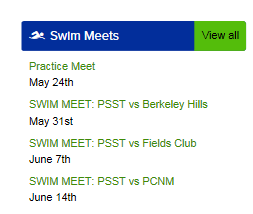
3. Scroll down to the specific meet in which you will be signing up. Click on the box to the right, Job Signup.

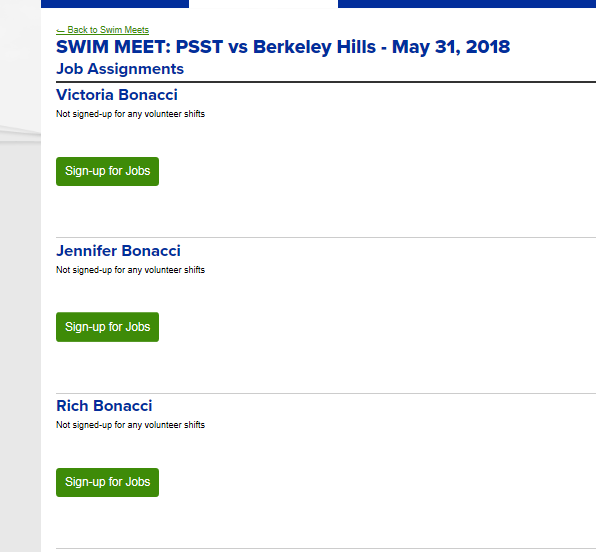
4. At the next screen, select the individual who you will be signing up.
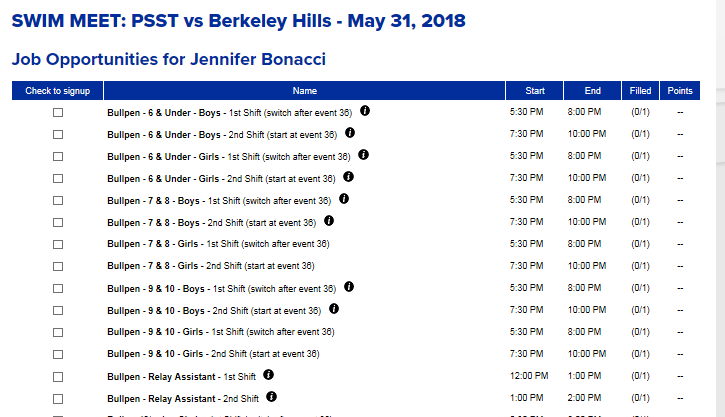
5. The next screen will contain a list of all jobs that you can sign up to work. Click the box next to the job you are selecting and then make sure to click “Save Assignments” at the bottom.
6. Once you have saved your assignment, you will be redirected to the review screen. At this screen, you can go back to the sign up if you need to change your selection.
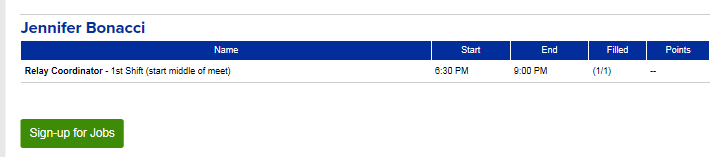
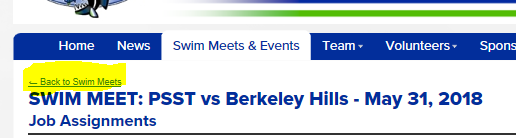
7. If that information is correct, then select “Back to Swim Meets” and continue to select the next meet that you wish to sign up to work.
PLEASE SIGN UP TO WORK A SHIFT OF EVERY MEET IN WHICH YOUR SWIMMER WILL BE SWIMMING. Please contact Jennifer Bonacci, [email protected], if you have questions or concerns regarding this policy.


